Ticketing (PSA) Close tickets faster, with every detail on one screen
PSA software for MSPs that runs your entire help desk: tickets, client communication, internal chat and time tracking. All on one record with your RMM.
- 14-day free trial
- No credit card
- No lock-ins
- From $99/user/mo
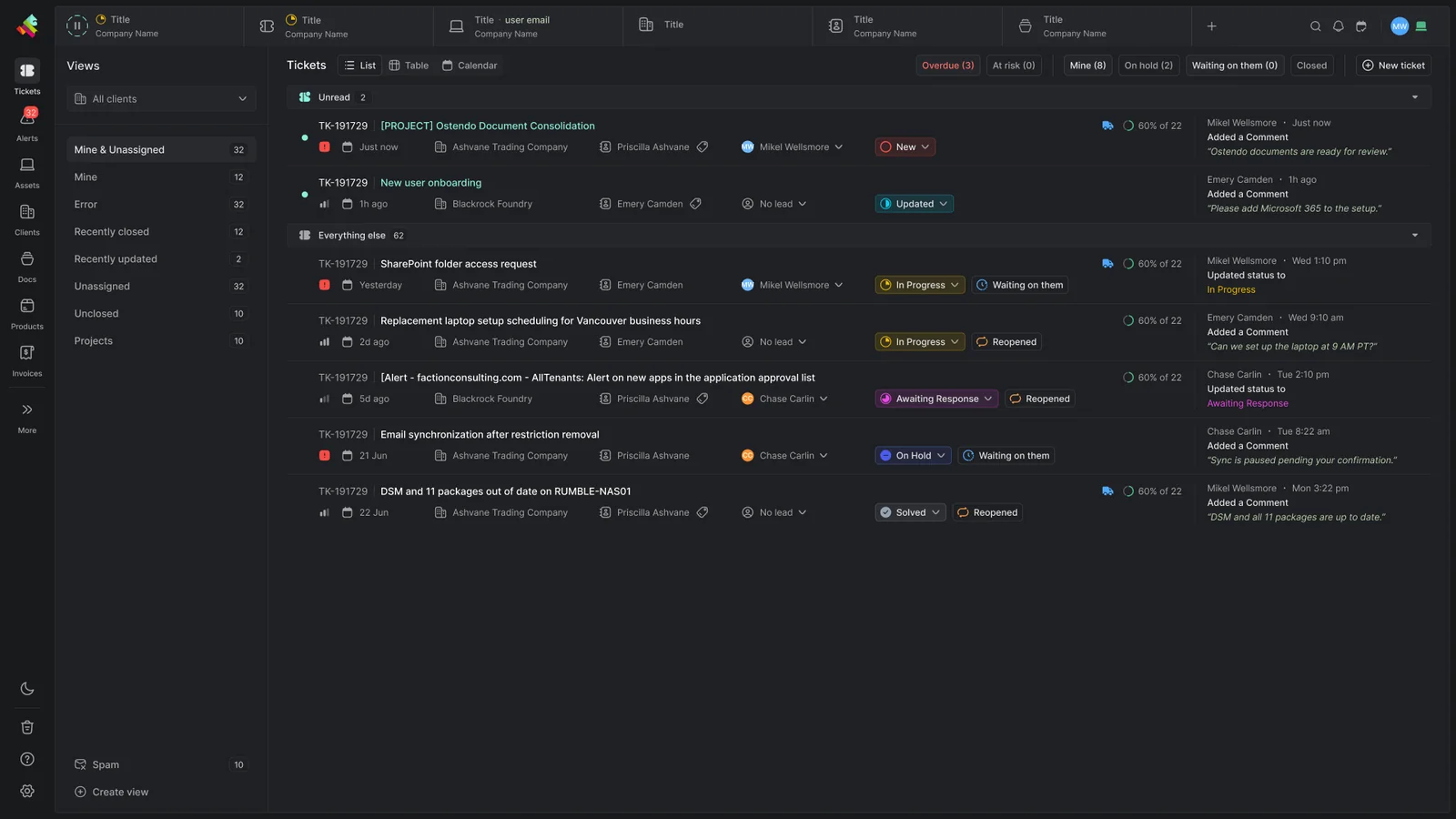
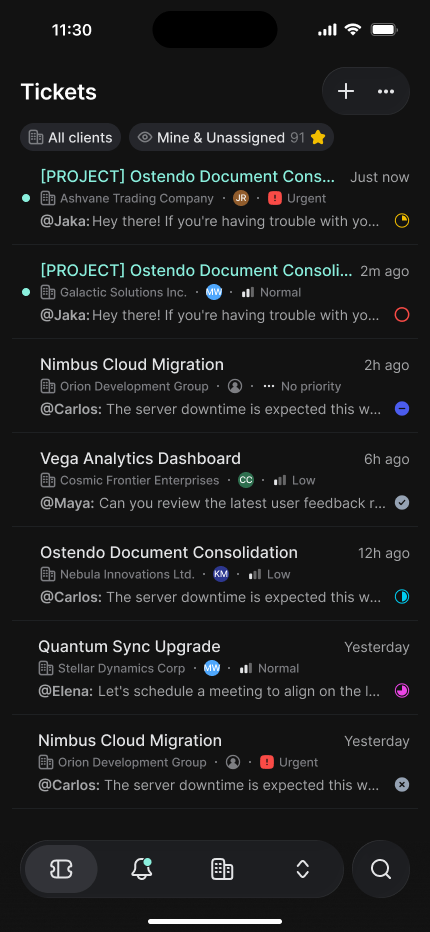
The service desk and everything around it
Alerts, projects, documentation and forms, plus two ways for clients to reach you: the Client Portal and Gorelo Messenger.
Client communication
Client conversations that stay professional and organized.
- Email threading that shows only the new part of each reply
- Third-party conversations on the same ticket
- Templates for consistent communication
- File attachments with preview
- A full form builder, built in
Team collaboration
Fast team chat on the ticket, where the work happens.
- Real-time chat within each ticket
- @mentions and group notifications
- Reactions and collision detection
- Chat history that stays with the ticket
- Shared ticket views
- Notifications for the tickets you follow
Workflow tools
Checklists, approvals and tracking on the ticket itself.
- Dynamic checklists that adapt to each ticket type
- Approval flows with notifications
- Shipment tracking with thousands of couriers
- Assets, documents and contacts embedded in tickets
SLA tracking Coming soon
See which tickets are about to miss their first-response deadline, before the client does.
- First-response targets for each priority, counted 24/7 or in business hours
- Policies per client, with your choice of who gets alerted
- A countdown on the ticket that turns amber, then red when the deadline is missed
- Automatic escalations, notifications or notes near or past the deadline
- SLA status and time left in the ticket list
- One-click filters for tickets at risk or overdue
Your service desk on every client desktop
A desktop app for Windows and macOS with your brand on it. Clients open it from the system tray or menu bar, send a message, and it lands in Gorelo as a ticket.
Messages become tickets
Every new conversation creates a ticket. Your replies land back in the same chat, with a native notification.
Your brand, set by policy
Set the tray icon, logo, brand color and background once. Gorelo rolls it out to every device in the policy.
Sign in or chat as a guest
Users sign in with their email and a one-time code to see open and closed conversations, approvals and history. You choose whether guests can message you at all, and whether they have to leave an email address.
Every conversation, in context
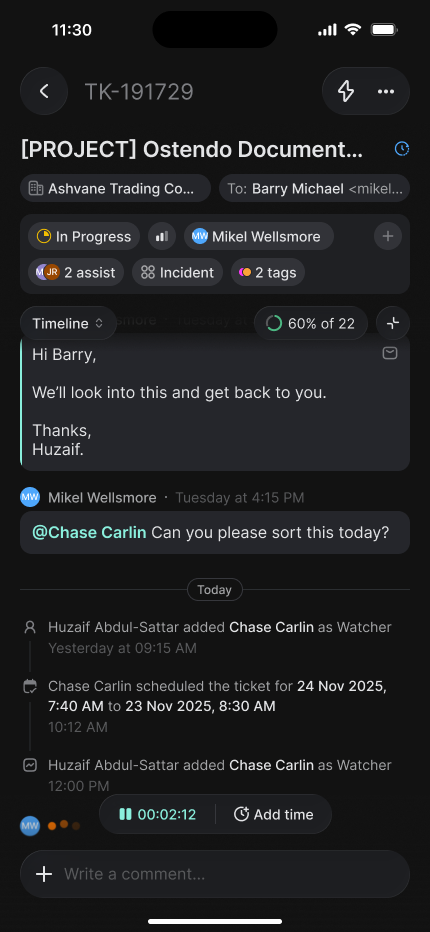
Each ticket holds its conversations, status, assignees, time entries and products, with the linked asset, a running timer and the timeline, in a single view.
See who's working on what
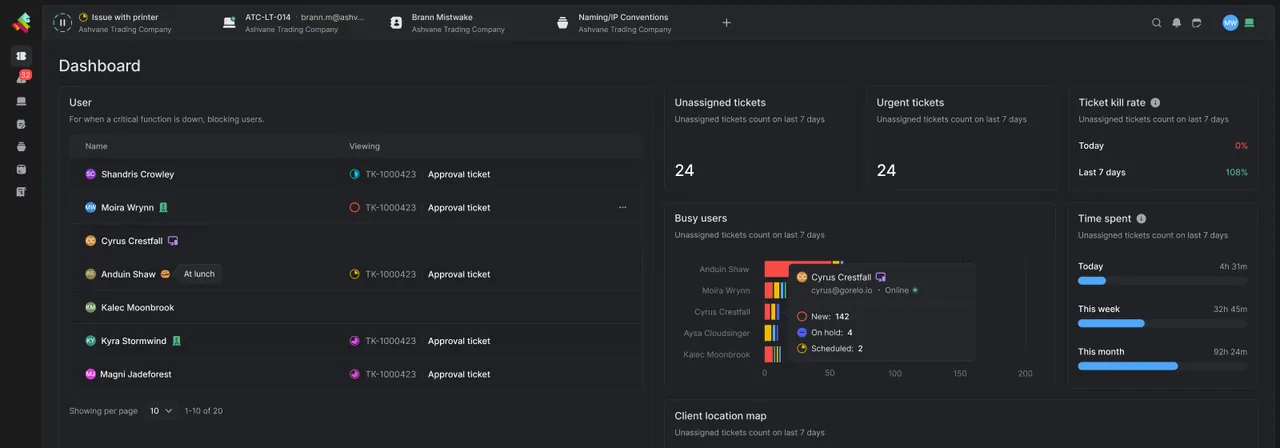
Views and Client Focus filter everything down to one client, and your dashboard shows who's viewing which ticket right now.
Where your clients reach you
Client Portal and Gorelo Messenger, the branded tray app. End users open it from the system tray (menu bar on Mac), send you a message, and it lands in Gorelo as a ticket.
What do you need help with?
A portal for your clients, with your brand on it
Clients raise and track tickets, fill in your forms and open the documents you share. A contact sees their own tickets by default, and you decide what else shows, per contact or per item.
Messages
Search
Printer drivers installation
Just now
@Moira Wrynn:
Hi there, can I use the computer?
Setting Up Your Printer Drivers
2h ago
Hi there, this is John. Let me know if you need any help with the printer issue you’re experiencing.
Installing Printer Drivers Made Easy
2h ago
@John Pastore: Sure, I can help you troubleshoot the printer issue.
Guide to Printer Driver Installation
2h ago
Hey there! If you're having trouble with your printer, I'm here to help you sort it out.
Printer Driver Setup Guide
2h ago
@Moira Wrynn:
Hi there, can I use the computer?
How to Install Printer Drivers
2h ago
@Sarah Kiehl:
Sure, I can take a look.
Printer drivers installation
2h ago
@Moira Wrynn:
Hi there, can I use the computer?
Guide to Printer Driver Installation
2h ago
Hey there! If you're having trouble with your printer, I'm here to help you sort it out.
Installing Printer Drivers Made Easy
2h ago
@John Pastore: Sure, I can help you troubleshoot the printer issue.
Installing Printer Drivers Made Easy
2h ago
@John Pastore: Sure, I can help you troubleshoot the printer issue.
Installing Printer Drivers Made Easy
2h ago
@John Pastore: Sure, I can help you troubleshoot the printer issue.
Installing Printer Drivers Made Easy
2h ago
@John Pastore: Sure, I can help you troubleshoot the printer issue.
How to Install Printer Drivers
2h ago
@Sarah Kiehl:
Sure, I can take a look.
Guide to Printer Driver Installation
2h ago
Hey there! If you're having trouble with your printer, I'm here to help you sort it out.
Printer drivers installation
TKT-Solo-006
Awaiting Response
MW
JR
CC
Moira Wrynn
and 2 more
Today
6.41 PM
We bought a couple of printers for our offices, but we’re having trouble installing the printer drivers.
Moira Wrynn, Jamie, Cora Calloway
joined the conversation
MW
Moira Wrynn
Just now
Hi there, can I use the computer?
Type a message...
New request
Documents
Invoices
Reports
Asset summary
Ticket summary
JR
Jamie Rowe
Messages
Search
Printer drivers installation
Just now
@Moira Wrynn:
Hi there, can I use the computer?
Setting Up Your Printer Drivers
2h ago
Hi there, this is John. Let me know if you need any help with the printer issue you’re experiencing.
Installing Printer Drivers Made Easy
2h ago
@John Pastore: Sure, I can help you troubleshoot the printer issue.
Guide to Printer Driver Installation
2h ago
Hey there! If you're having trouble with your printer, I'm here to help you sort it out.
Printer Driver Setup Guide
2h ago
@Moira Wrynn:
Hi there, can I use the computer?
How to Install Printer Drivers
2h ago
@Sarah Kiehl:
Sure, I can take a look.
Printer drivers installation
2h ago
@Moira Wrynn:
Hi there, can I use the computer?
Guide to Printer Driver Installation
2h ago
Hey there! If you're having trouble with your printer, I'm here to help you sort it out.
Installing Printer Drivers Made Easy
2h ago
@John Pastore: Sure, I can help you troubleshoot the printer issue.
Installing Printer Drivers Made Easy
2h ago
@John Pastore: Sure, I can help you troubleshoot the printer issue.
Installing Printer Drivers Made Easy
2h ago
@John Pastore: Sure, I can help you troubleshoot the printer issue.
Installing Printer Drivers Made Easy
2h ago
@John Pastore: Sure, I can help you troubleshoot the printer issue.
How to Install Printer Drivers
2h ago
@Sarah Kiehl:
Sure, I can take a look.
Guide to Printer Driver Installation
2h ago
Hey there! If you're having trouble with your printer, I'm here to help you sort it out.
Raise and follow tickets
Support requests without the email chain.
- New tickets submitted from the portal
- Tickets they raised, are copied on or need to approve
- Every ticket for their company, with the “Portal - All Tickets” tag
- A ticket summary report for the tickets they can see
Open what you share
Nothing shows until you publish it.
- Documents with Publish to Portal turned on
- Client documents for that client only, organization documents for everyone
- Forms for one client, or for all of them
- Projects shared with the contacts you add
Check invoices and devices
Extra views you turn on per contact.
- Approved and paid invoices from the last three months, with the “Portal - All Invoices” tag
- Remaining block or limited hours, set per contract
- An asset summary with device health and warranty, with the “Portal - All Assets” tag
- Quick Connect remote support tools to download
- Remote Access to their own computers, or every computer at their company (paid add-on)
Sign-in
Microsoft 365 or a magic link
Contacts use Microsoft 365 single sign-on or a one-time email link, with the email on their contact record. No separate portal account or license.
Branding
Your logo and colors
Set your logo, favicon, brand color and sign-in background, plus a default light or dark mode, with a live preview.
Domain
Your own URL
Put the portal on your own URL. Ask Gorelo support to switch it on.
AI does the admin. Your tech sends the reply.
Gorelo AI reads every ticket as it arrives and does the legwork. Your technicians check it, edit it and decide what goes to the client.
Triage
Automatic ticket types
The most relevant type set from the subject and first inbound comment.
Triage
Automatic tagging
Up to three tags from your own list, applied as tickets arrive.
Escalation
Sentiment analysis
Frustrated clients flagged, and the right group told before anyone opens the ticket.
Catch-up
Ticket summary
A short rundown of a long timeline when a ticket changes hands.
Replies
Generate a reply
A first draft from the ticket and the latest comment. Your tech edits it and sends it.
Replies
Rephrase
Tidy a draft into your tone with one click. Nothing goes out until your tech sends it.
What MSPs want to know
Is the client portal included, or is it an add-on?
It’s built in. Any contact can sign in to the Client Portal with the email on their contact record, using Microsoft 365 single sign-on or a magic link. There’s no separate portal account or license, and you can put it on your own domain by contacting support.
Can a client contact see all of their company’s tickets?
Only if you allow it. By default a contact sees the tickets they’re on. Add the “Portal - All Tickets” tag to a contact to show every ticket for their client, and “Portal - All Assets” or “Portal - All Invoices” for those reports.
How do end users raise a ticket from their desktop?
With Gorelo Messenger. It’s a branded app for Windows and macOS that you roll out through a policy. Each new conversation creates a ticket, and users can sign in with an email code or chat as a guest.
Can we email a vendor from a ticket without copying the client?
Yes. Start a Third Party Conversation on the ticket. It’s a separate email thread that leaves out the ticket’s To and Cc contacts, and it stays linked to the ticket’s history.
What happens to spam sent to our support address?
It goes to a Spam view instead of the ticket queue. Each held email shows its sender and spam score, and you can turn it into a ticket or delete it.
We’re switching PSA. Can we import our clients and contacts?
Yes. Import clients from an XLS, XLSX or CSV file, or paste them in from a table. Contacts can come from a CSV, from Microsoft 365 through CIPP, or through the Gorelo API.
Is Ticketing (PSA) included in every plan?
Yes. Ticketing (PSA) is included in Full Platform Access and in both flexible licenses. The PSA Only license covers it without remote management, and Co-Managed covers a single client. See pricing.
Customer story
“Having everything in one place with Gorelo has made a huge difference. Before, we constantly had to switch between tools, risked losing tickets, and spent time tracking endpoints manually.”
Explore the platform
All-in-one platform, one login, one record behind all of them.
Ticketing (PSA)
Tickets, forms and a client portal, connecting you and your clients.
You're hereRemote Management (RMM)
Monitor every system and device, and manage all of it remotely.
Learn moreDocumentation
Client docs and passwords, organized and ready when you need them.
Learn moreBilling
Invoices, bundles and contracts, with missed billable work flagged for you.
Learn moreAutomation
Rules, schedules and shortcuts that take routine work off your team.
Learn moreProjects
Multi-step client work with tasks, timelines, checklists and time tracking.
Learn moreGorelo AI
Technician-first AI across tickets, devices and docs. It does the legwork, and your techs make the call.
Learn moreRun your MSP on Gorelo
Try it on your own clients and devices, free for 14 days.
- 14-day free trial
- No credit card
- No lock-ins
- From $99/user/mo