Documentation Documentation that stays organized
Create, organize and find client docs, passwords and forms in one place, next to the clients and assets they belong to.
- 14-day free trial
- No credit card
- No lock-ins
- From $99/user/mo
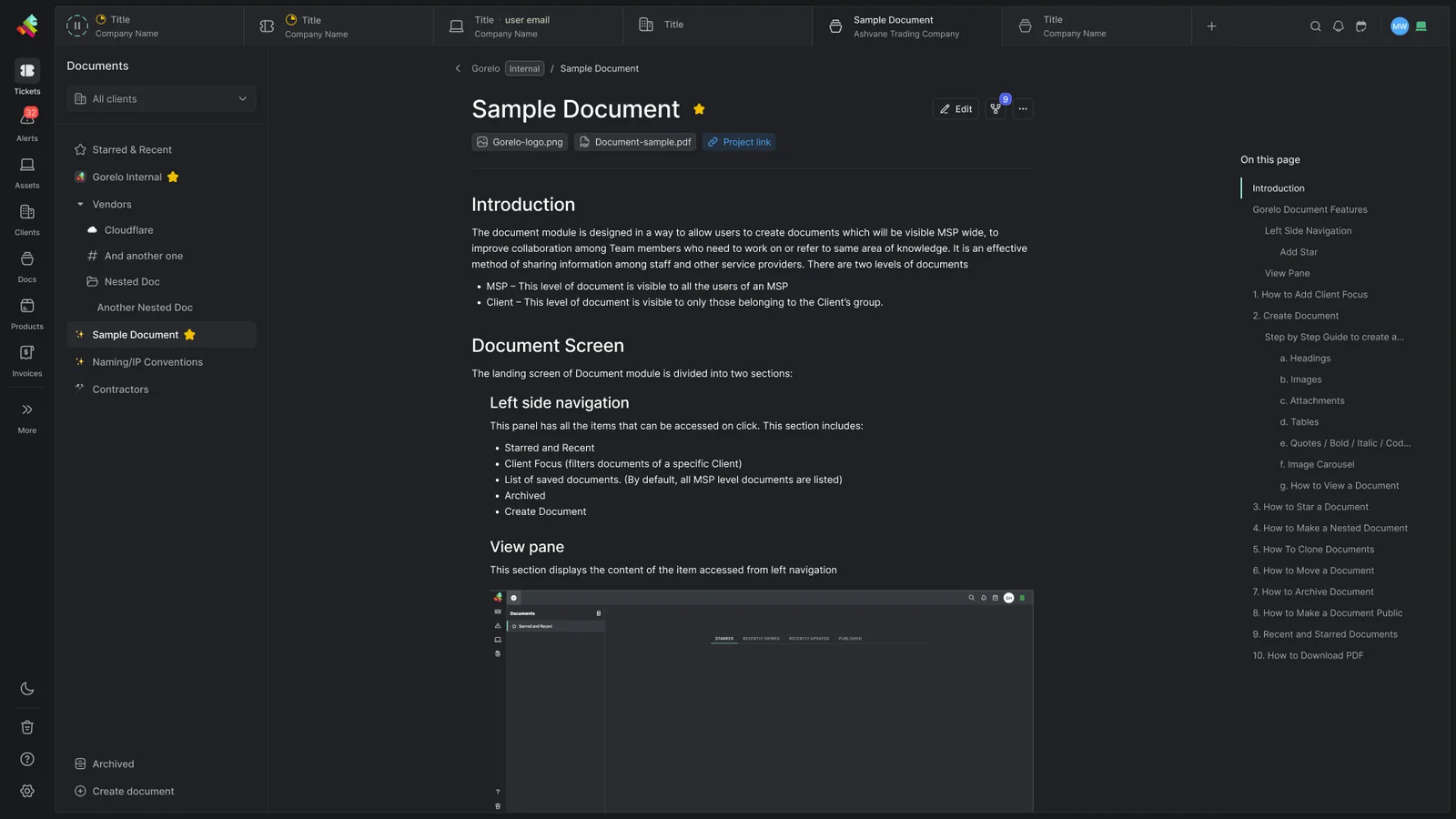
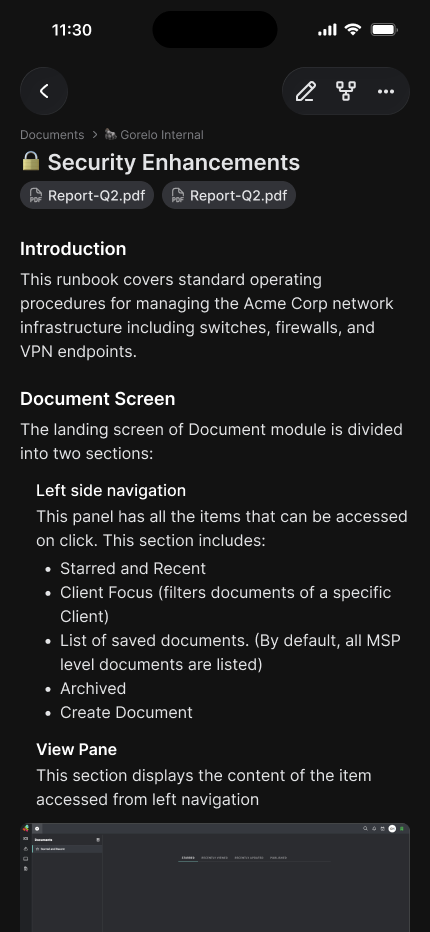
Ready when you need it
Every doc organized and searchable, so nobody digs for answers.
Editor
Write docs quickly, with the formatting you need.
- Block-based editing that's easy to organize
- Rich text formatting
- Inline media and code blocks
- Tables and structured content
- Emoji support everywhere
- Drag-and-drop organization
Organization
Keep every doc in its place.
- Nest documents as deep as you need
- Star important docs for quick access
- Duplicate with one click
- Recent and Published views
- Complete version history
- Deep content indexing with full-text search
Structured content
The same fields, every time.
- Form-based documents for standard records
- Required fields and sections
- Dynamic blocks for assets, contacts, documents and uptime
- Conditional sections
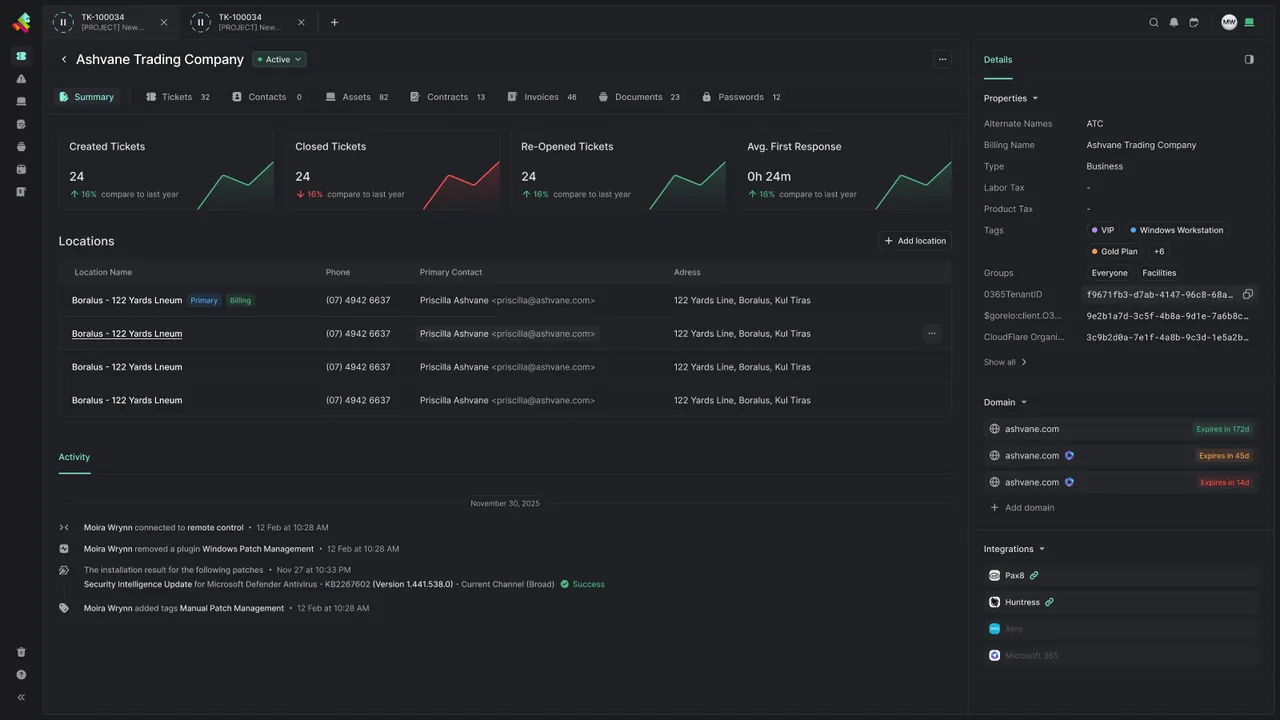
Every client at a glance
Clients, locations and contacts with custom fields, tags and domain tracking, plus the tickets, assets, contracts, invoices, documents and passwords behind them.
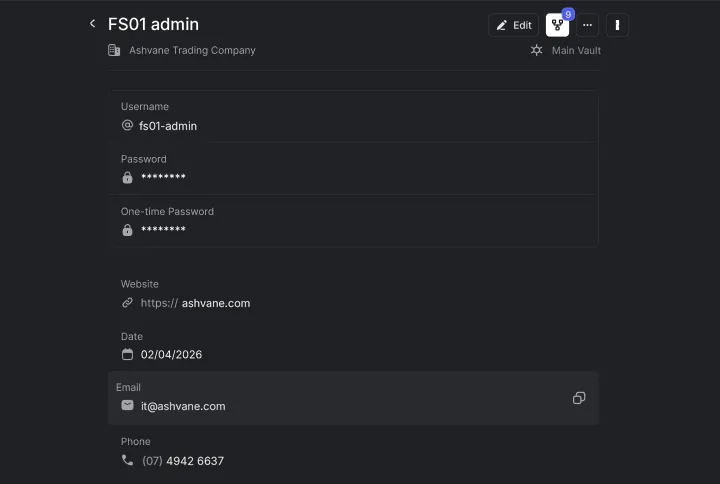
Credentials where the work happens
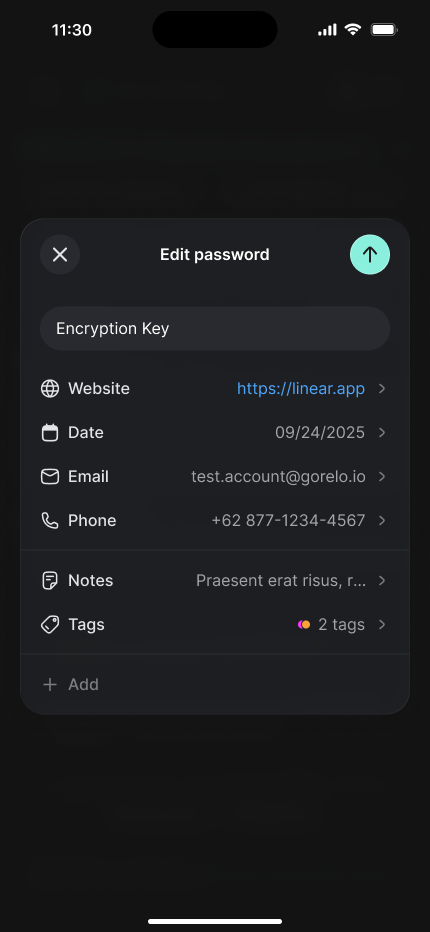
Usernames, passwords and one-time passwords live with the client they belong to, alongside the website, tags and notes your techs need.
Forms and checklists, built in
Client documentation that lives beside the assets it describes, and forms your clients fill in themselves.
Structured documents
Built from question-and-answer templates, so every printer, rack and application is recorded the same way.
Forms
For hardware requests, user onboarding and offboarding, and client onboarding.
One-time submission links
Send them by email or raise them straight from a ticket.
Published to the portal
Scoped to one client or open to all.
Reusable checklist templates
So onboardings and hardware builds run the same way every time.
Checklists on tickets
With owners and due dates.
What MSPs want to know
Is IT documentation built into Gorelo, or do we need a separate tool?
It’s built in. Client docs, passwords and forms sit in the same platform as your tickets, assets and billing, next to the clients and assets they belong to, so there’s no separate documentation tool to buy or keep in sync.
Can we keep our passwords in 1Password?
Yes. The 1Password integration syncs items from your vaults into Gorelo, and passwords you assign to a client in Gorelo get a matching client tag in 1Password. You map Gorelo groups to 1Password vaults, so techs see only the vaults their role allows.
What’s the difference between structured and unstructured documents?
Unstructured documents are blank pages for runbooks and how-to guides. Structured documents start from a question-and-answer template, so every printer, rack or application is recorded with the same fields. Templates support required fields, conditional logic, and fields that link the client’s existing assets, contacts, documents and uptime monitors.
Can clients see their documentation in the Client Portal?
Yes, if you share it. Client documents shared to the portal are visible only to that client, and organization documents can be shared with all clients. Anything you don’t share stays private to your team.
Can clients fill in onboarding and offboarding forms?
Yes. Build forms for new starters, leavers, hardware requests and client onboarding, then send a one-time link that expires after 7 days, generate one from a ticket, or publish the form to the Client Portal for one client or all of them. Submissions land on a ticket, with the groups and tags you set on the form.
Do we have to move all our documentation over at once?
No. Most MSPs start with monitoring on one client, then bring tickets, contacts and documentation across once they trust it. If you’re coming from IT Glue, see Gorelo vs IT Glue.
Is documentation included in every plan?
Yes. Documentation is included in Full Platform Access and in both flexible licenses. See pricing.
Customer story
“We tried Gorelo and set up the basics in a weekend. With Gorelo, we can track all our tasks, including admin, and it integrates with Xero seamlessly, eliminating the need for third-party tools. Their dev team is responsive and the interface is user-friendly.”
Explore the platform
All-in-one platform, one login, one record behind all of them.
Ticketing (PSA)
Tickets, forms and a client portal, connecting you and your clients.
Learn moreRemote Management (RMM)
Monitor every system and device, and manage all of it remotely.
Learn moreDocumentation
Client docs and passwords, organized and ready when you need them.
You're hereBilling
Invoices, bundles and contracts, with missed billable work flagged for you.
Learn moreAutomation
Rules, schedules and shortcuts that take routine work off your team.
Learn moreProjects
Multi-step client work with tasks, timelines, checklists and time tracking.
Learn moreGorelo AI
Technician-first AI across tickets, devices and docs. It does the legwork, and your techs make the call.
Learn moreRun your MSP on Gorelo
Try it on your own clients and devices, free for 14 days.
- 14-day free trial
- No credit card
- No lock-ins
- From $99/user/mo