
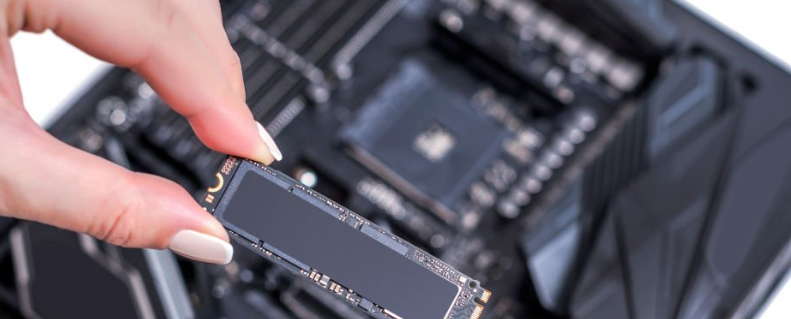

What does SSD mean?
Solid State Drives (SSDs) are storage devices that are renowned for their high-speed data access because of their advanced internal parallelism. They offer several advantages over conventional storage options, such as faster starting times, reduced energy consumption, improved durability, and smaller sizes. Additionally, SSDs are more reliable and resilient than most other storage types.
However, SSDs have several disadvantages. They store data in flash memory chips, which might deteriorate over time as data is repeatedly written and read. The overall lifespan and efficiency of the drive are decreased by this slow wear.
Gorelo RMM tools and PSA Software | Start Your Free Trial Now
SSD Lifespan
SSDs use flash memory technology, namely NAND flash chips, which are similar to those found in USB drives and memory cards. These chips, which are arranged within integrated circuits, are used to read and write data electronically.
An electronic controller coupled with many NAND flash chips is located at the centre of an SSD. These chips store data in binary form using a grid of transistors. Unlike conventional memory, SSDs don’t need constant power to store data because NAND flash memory stores data even when the drive is turned off.
Two different states are used by the binary system to operate: 0 and 1. A transistor is considered to be in the “1” state when electrical current passes through it; if no current flows, it is in the “0” state. SSD transistors usually begin in the “1” state. Some transistors are turned off when data is saved or written, converting their state to “0.”
SSDs have a limited lifespan even though they are much faster than conventional hard drives and use non-volatile memory, which means data is retained without power. Transistors deteriorate with time and lose their capacity to efficiently store charge, which might affect reliability when the device is used more frequently. Because of this, SSDs are designed with a finite operational life.
The efficiency of an SSD steadily decreases each time data is written to it. This occurs because data cannot be simply overwritten; instead, the preexisting information must be rewritten. NAND flash memory uses voltage to force electrons through an insulating layer in order to achieve this.
This insulating layer deteriorates over repeated writing and erosion cycles. Consequently, flash memory cells have a limited number of times that they can be reliably programmed and erased. As a result, an SSD’s endurance depends on both how the drive is used and the design of its NAND chips.
What Factors Affect the SSD Lifespan?
The drive’s age, the total quantity of data written during its lifetime (measured in terabytes written, or TBW), and the number of times the drive’s capacity is rewritten each day, known as drive writes per day (DWPD), are the three main factors that affect SSD reliability.
The age of the SSD
An SSD’s age has a significant impact on both its lifespan and performance. The normal SSD tends to last for a shorter period of time, with real longevity varies depending on how it is used, even though manufacturers frequently advertise a lifespan of up to one year.
A study by Google and the University of Toronto found that as SSDs age, the likelihood of a drive failure increases. Despite this, SSDs still need to be replaced roughly 25% less frequently than conventional hard disk drives.
Total terabytes written over time
An SSD’s lifespan is in TBW in the IT sector. An SSD’s typical service life is 256 TBW. This is the basic warranty period after which the memory starts to deteriorate.
The likelihood of data loss and drive failure increases after exceeding the TBW value. Therefore, it is advised to move the drive after the designated TBW guts are used up.
Drive writes per day
Additionally, SSDs have a DWPD value that refers to the amount of data that can be written every day for the duration of the SSD’s guarantee. Gigabytes are used to measure it. The SSD exhibits greater durability if the DWPD value is higher. For better capacity and performance, you can therefore take the DWPD into consideration when buying an SSD.
What are the benefits of SSDs?
The primary advantage of electronic chips for storage is that they are far faster than HDDs with spindle insides. This is because a typical HDD is made up of numerous mechanical components and revolving platters. Additionally, it takes a lot longer to reposition the read/write head than it does to simply transmit data through electronic interfaces. Furthermore, SSDs have a very low access time, which makes them suitable for use in environments where real-time access and transfer are essential.
What are the disadvantages of SSDs?
SSDs using NAND Flash-based processors have a limited lifespan due to defects. The lifespan of an SSD has an inherent “time of death,” whereas standard HDDs can theoretically last up to ten years. To make it simpler: The fact that data can only be written on a storage cell inside the chips between roughly 3,000 and 100,000 times over its lifetime is an electrical effect. Following that, they “forgot” new information. Because of this, manufacturers use war-limiting algorithms to distribute data evenly between all calls by the controller in order to prevent certain calls from being used all the time while others aren’t. Similar to HDDs, the user can check the current SSD state using the S.M.A.R.T. analysis tool, which displays the SSD’s remaining lifespan.
Estimating terabytes written (TBW)
Manufacturers typically provide an estimate with the so-called terabyte(s) written (TBW), particularly when it comes to enterprise SSDs, but also for consumer versions. This figure is supposed to show how much data can actually be written in total on all cells inside the storage chips and throughout the entire lifespan because employing Wear-Leveling will distribute the data evenly over all cells.
A 250 GB SSD typically has a TBW value between 60 and 150 terabytes. This means that in order to get over a guaranteed TBW of 70, a user would need to write 190 (!) GB per day for a period of one year (that is, to fill two thirds of the SSD with new data every day). This is quite unlikely in a consumer setting.
How to Estimate How Long Your SSD Will Last?
The TBW and DWPD are the main factors that determine an SSD’s lifespan. Here’s how to estimate the SSD’s lifespan:
TBW
A measure of the amount of data a drive can write over its lifetime is called the TBW. For instance, an SSD with a 300 TBW rating may write 300 TB of data before it requires replacement.
The SSDs of the Samsung 85 Pro series have capacities of 128 GB, 256 GB, 512 GB, 1 TB, 2 TB, and 4 TB. It has a ten-year warranty and is constructed with 3D V-NAND.
A 25 GB SSD has a maximum TBW of 150. The maximum TBW for an SSD with a 512 GB and 1 TB capacity is 300. The 4 TB drive can hold 600 TBW, whereas the 2 TB drive can hold 450 TBW.
DWPD
The DWPD measures how many times an SSD may be rewritten every day for the duration of its life. A 200 GB SSD drive with DWPD 1 and a five-year guarantee period is an example. It implies that there is no chance of failure while writing 200 GB per day for five years.
You can also calculate the TBW using this data. Since you can write 200 GB every day for five years, the total TBW will be:
200*365*5= 365,000 GB, or 365 TB writes
Similarly, you can estimate the TBW if the DPWD is 2 and the other elements remain the same, such as the SSD capacity being 200 GB and the warranty period being five years.
2*200*365*5= 730,000 GB, or 730 TB writes
Calculation
You can use the following formula to determine the SSD lifespan:
(Writing cycles * Capacity) / (SSD factor * Data Written per year)
Think about a 1 TB Samsung 850 PRO TLC SSD.
Then
Write cycles= 3,000
Capacity= 1 TB or 1,000 GB
SSD Factor: real data to actual data written = 5 (consider)
The estimated amount of data written to the drive each year is 1,500–2,000 GB.
Consequently, the formula yields:
(3,000 * 1,000)/(5 * 1,750)
= 342 years
For 342 years, the driver cannot be relied upon. However, based on these presumptions, the SSD’s oxidation layer will endure this long.
Mean time between failures
For HDDs, the Mean Time Between Failures (MTBF) is often used to measure performance. However, in the case of SSDs, they are meaningless. MTBF is a statistical evaluation that is based on tiny sample sizes. The average time between system breakouts is defined. Therefore, if the MTBF value is higher, the asset is more reliable.
The MTBF for an HDD is around 500,000 hours. It is roughly fifty-seven years old. According to reports, SSDs have an average MTBF of 2.5 million hours. Because there is no meaningful evidence, it is less useful.
Therefore, TBW and DWPD provide more useful results when determining the SSD lifespan.
SSD Maintenance Best Practices
SSDs might exhibit more errors than HDDs in less time, even though they are quite durable. In order to increase the lifespan and dependability of these drives, manufacturers have developed advanced technologies such as:
Wear leveling
This technique aids in the uniform distribution of the program/rasa cycles over the SSD’s internal memory block. There are two types of ware lifting: static and dynamic.
Data programs and flash cycles are distributed evenly among the NAND flash memory blocks thanks to the dynamic wavelength distribution mechanism. Every time the data is written into the flash memory, the dynamic algorithm gets executed. The operating system’s LBAs (logical block addresses) are connected to the actual flash memory via a map. A new block is linked whenever the system needs to rewrite data. This prolongs the life of SSDs.
The operating system also uses a map to connect LBAs to the actual memory in the case of static warehousing. In this instance, unaltered blocks are irritated and replaced with written blocks.
Error Correction Code (ECC)
Error Correction Code allows the software to identify and fix bit errors. Errors are widespread with NAND flash. As a result, data may become corrupted. Errors caused by the wearing out of memory cells can also be corrected via ECC. As a result, it can extend the memory blocks’ lifespan and lengthen the SSD’s lifespan.
Bad Block Management
This technique prevents the system from writing data into these blocks and aids in identifying faulty blocks. The NAND flash memory contains both early and later faulty blocks. Early poor blocks are inevitable because they are created during the production process. The repaired P/E cycles are the cause of the most recent defective blocks.
The skip block method, which let the controller jump to the next good block while accounting for a faulty one, is used in bad block management. A reserved good block is used to replace the bad block in the reserved block method. As a result, poor block management reduces SSD longevity and dependability.
TRIM
To extend the life of SSDs and enhance their performance, the TRIM command removes deleted pages and blocks. It helps extract data blocks that are no longer in use. Because it directs the controller to delete invalid data pages, the storage may be effectively managed.
SSD lifespan even longer than promised
Although the average SSD lifespan is shorter, the most recent estimates place the age limit for SSDs at roughly ten years. SSDs were tested over a multi-year period in a collaborative effort between Google and the University of Toronto. It was discovered that the main factor influencing when an SSD stopped functioning was its age. Additionally, the survey discovered that SSDs were replaced roughly 25% less frequently than HDDs.
Reminder: The best course of action in the event of SSD data loss is to get in touch with a professional data recovery service provider. When a physical problem occurs, there is no way for a user to recover or retrieve their data. Additionally, the attempt to recover data using a specialized data recovery software application is more risky when the control or storage chip is malfunctioning. It may result in permanent data loss with no chance of data recovery.
If they last that long, where are the dangers?
Although the average SSD lifespan is longer than initially anticipated, there are still significant advantages to adopting this storage medium: For data recovery services, recovering data from failed SSDs is still more complex than HDDs since access to the drive is frequently challenging. Access to the disk and storage chips is impossible when the SSD controller chip is broken. Finding a functional control chip that is identical to the malfunctioning one and replacing it with the ideal one to gain access is the solution to this issue. In reality, a seemingly straightforward task might be challenging. Attempting to access data from malfunctioning storage chips is another use for this application. In many cases, data retrieval tools such as those from Ontrack are able to retrieve data. Over the past few years, Ontrack has developed numerous specialized tools and procedures to overcome these challenges and successfully recover lost data.
Reminder: The best course of action in the event of SSD data loss is to get in touch with a professional data recovery service provider. When a physical problem occurs, there is no way for a user to recover or retrieve their data. Additionally, the attempt to recover data using a specialized data recovery software application is more risky when the control or storage chip is malfunctioning. It may result in permanent data loss with no chance of data recovery.